Mind Mapping Techniques for Better Brainstorming
Five mind-mapping techniques I’ve actually run in real sessions — from radial dumps to concept maps — with the cognitive-science backing, a step-by-step brainstorming protocol, and the failure modes that waste an hour.
Linear notes are how I took notes for the first twenty years of my life. Headings, sub-headings, bullet points cascading down the page. It's the default, it feels productive, and it fails the moment the material isn't actually linear.
Most interesting material isn't linear. A product strategy debate has six interlocking considerations. A system design problem has constraints, options, and tradeoffs that don't fit in a bullet list. A brainstorm session produces ideas that relate to each other in ways linear notes destroy by forcing a top-to-bottom ordering.
Mind mapping is the format I now reach for any time the content isn't naturally sequential. This article covers the techniques that have actually stuck for me, the cognitive research behind why the format works, and the specific situations where linear notes are still the right call.
What mind mapping actually is
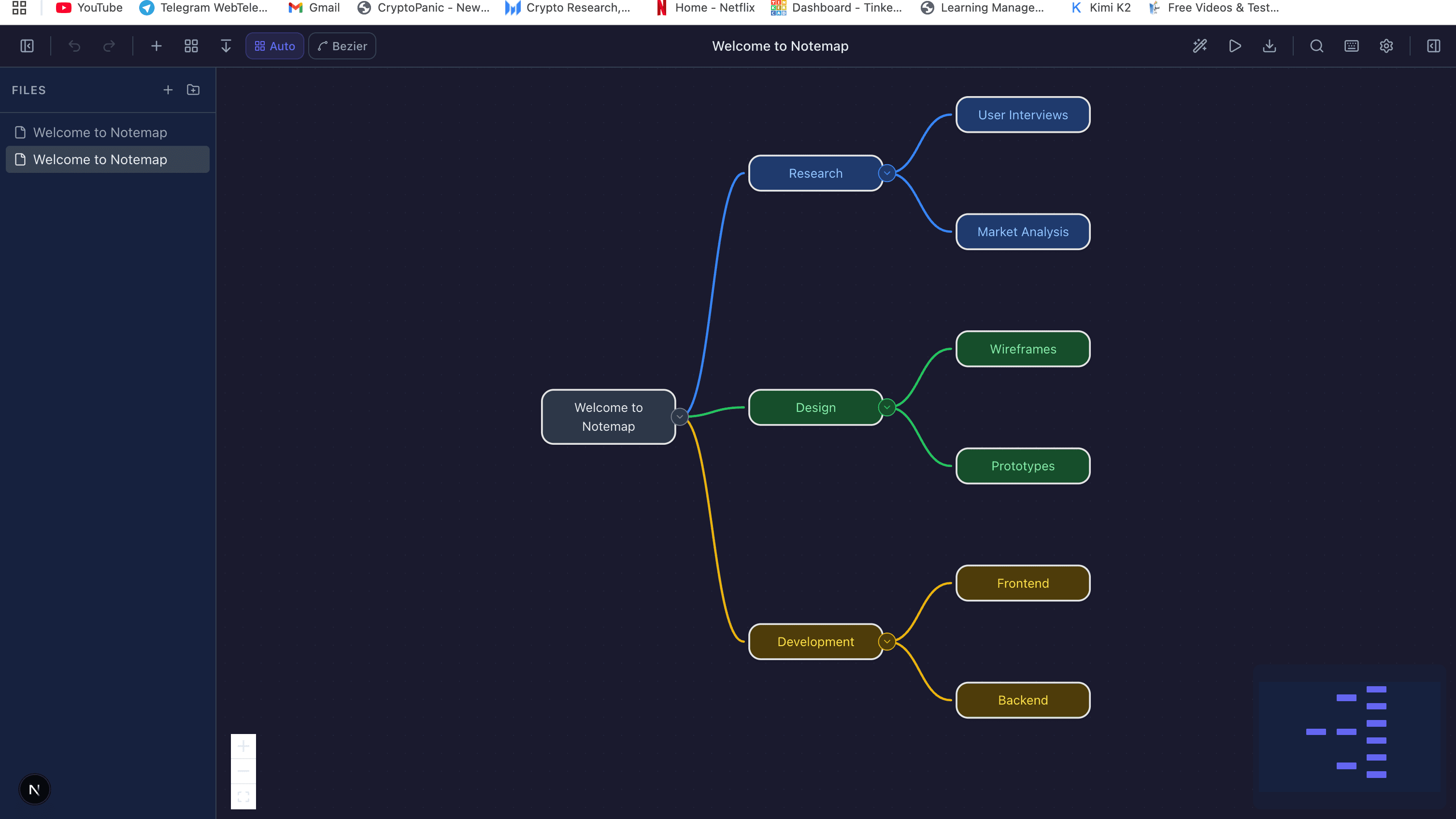
A mind map places a central idea in the middle of the page, with related concepts branching outward. Each branch can split into sub-branches. Nodes are short — a few words, not sentences. The visual layout encodes hierarchy (distance from center) and grouping (spatial proximity, color).
Tony Buzan popularized the term in the 1970s, but the technique is older. Da Vinci's notebooks read like mind maps. Educators have used concept maps — a close cousin, which we'll get to — since the 1960s. What's new is that digital tools now make them cheap to create, restructure, and share.
Why it works (the cognitive angle)
The research is more interesting than the “left brain vs. right brain” framing Buzan originally sold. Two robust findings:
Spatial memory is stronger than semantic memory. You remember where you saw something on a page better than you remember the exact wording. Visual-spatial layout gives every node two memory cues — what it said and where it sat relative to other nodes. A 2002 study in the Journal of Educational Psychology found roughly 12% better retention for concept-mapped material compared to linear notes on the same content.
Forced concision aids understanding. Mind map nodes are short, usually one to three words. This forces you to distill each idea to its essence during capture. The act of distillation is itself the learning — people who write paragraph-length notes understand less than people who write phrase-length ones, because the paragraph lets you hide behind the source's phrasing without processing it.
The failure mode of mind mapping, which the research doesn't always surface: if the material is genuinely linear — a procedure, a chronology, a proof — forcing it into a radial layout loses information. A recipe is a recipe. Don't mind map it.
Five formats and when each earns its keep
1. Classic radial mind map
Central topic, branches radiating outward, sub-branches hanging off each branch. The default format. Best for: brainstorming ideas, exploring a topic, note-taking on non-sequential material, summarizing a chapter or a meeting.
Constraint: use keywords, never sentences. “Customer retention” is a node. “We need to improve customer retention by 15% next quarter” is a paragraph in a Google Doc.
2. Concept map
Looks like a mind map but every edge has a labeled verb: “leads to”, “is a type of”, “depends on”, “contradicts”. Trades freeform feel for rigor. Best for: modeling complex systems, studying for exams where relationship types matter, writing literature reviews, teaching.
The labeled relationships are the whole point. If the edges are unlabeled, it's a mind map, not a concept map, and you're losing the rigor that makes concept maps worth the extra effort.
3. Tree map (strict hierarchy)
Every node has exactly one parent. No cross-branch connections. Best for: organizational charts, file system structures, taxonomies, documentation outlines. When the structure genuinely is a tree, imposing it explicitly saves you from the mess of a mind map pretending to be a tree.
4. Flow map
A hybrid: sequential spine like a flowchart, with branches for alternatives or annotations. Best for: project plans where some steps have optional sub-tasks, user journey maps, decision processes where the main flow matters but side considerations need capturing.
5. Spider diagram
Categorization-focused: central topic, a leg per category, items under each leg. Less exploratory than a mind map, more structured. Best for: outlining before writing, breaking a research topic into sub-areas, planning a presentation.
A 30-minute brainstorm that actually produces ideas
I've run this format with product, engineering, and cross-functional teams. It consistently produces more and better-diversified ideas than unstructured brainstorms. The timing is calibrated — longer turns reintroduce the dynamics the structure is designed to defeat.
Minutes 0–2: Frame the question
Write one specific question at the center of a shared canvas. “How might we reduce onboarding drop-off in the first session?” beats “Onboarding improvements.” The specificity constrains the creative space enough that ideas can form.
Minutes 2–7: Silent individual mapping
Everyone, on their own, creates their own mini mind map in their own space. No discussion. Timer visible. This single step eliminates most of what's wrong with typical brainstorms: early ideas anchoring the discussion, loud voices dominating, quieter people contributing less. By the end of minute 7, every participant has independently generated their own map.
Minutes 7–17: Merge and cluster
Everyone contributes their map to a shared canvas. Duplicates merge. Similar ideas cluster into branches. This is where collective insight emerges — you'll consistently see ideas that appeared in multiple maps (those are strong signals), and ideas that only one person had (those are the creative surprises worth protecting).
Minutes 17–25: Expand and cross-connect
Go branch by branch asking “what else?” Then draw lines between ideas on different branches that feel related. The cross-branch connections are where the highest-value ideas usually live — combining an insight from “technology” with one from “user behavior” produces something neither branch would have alone.
Minutes 25–30: Prioritize
Everyone dots three ideas they'd actually pursue. Top-voted ideas become action items with owners and dates. The map itself gets saved and referenced in the follow-up.
Digital vs paper — it's context-dependent
I use both, and the choice matters more than you'd think.
Paper wins when: you're doing exploratory thinking where distractions kill flow, the map is for yourself and won't be shared, you want the motor-memory benefit of actually drawing (studies consistently show handwritten notes are remembered better than typed), or the map will stay small (under ~25 nodes).
Digital wins when: multiple people need to contribute simultaneously, the map will grow past what fits on paper, you expect to restructure heavily (digital makes rearrangement effectively free), you need to share or embed the map in other documents, or you want AI assistance — our generator can expand a branch on demand, which is genuinely useful when you're stuck.
The practical workflow I've landed on: rough exploration on paper, then transfer to digital once the structure stabilizes. This gives me the flow benefits of paper and the durability benefits of digital without forcing a choice between them.
Practical applications that have held up for me
- Project kickoff. Central node: the project. Branches: scope, constraints, stakeholders, risks, success metrics, open questions. Catches gaps a linear spec doc misses because the radial layout prompts you to balance every category.
- 1:1 prep. Central node: the person. Branches: ongoing topics, career development, feedback I owe them, feedback I want, blockers. Reviewing the map before the meeting catches things that would otherwise be forgotten.
- Writing outlines. Central node: the thesis. Branches: supporting arguments, counter-arguments, examples, sources. This specific article was mapped before it was written.
- Learning a new domain. Central node: the field. Add branches for concepts as you encounter them; draw cross-links when you realize two things are related. The map becomes a personal index of the field.
- Root cause analysis. Central node: the incident. Branches: contributing factors. For each factor, ask “why?” five times — each answer becomes a sub-branch. The map surfaces systemic causes better than a linear post-mortem, because related branches can be grouped visually.
- Meeting notes for non-linear discussions. Strategy meetings, design discussions, debates. Each speaker adds to a branch; the visual layout captures the shape of the discussion in a way linear notes destroy.
Rules that keep maps useful
- Keywords, never sentences. If a node needs a sentence, it's actually multiple nodes.
- Cap depth at four levels. Beyond that, the sub-branch deserves to be its own map.
- Color for categories, not decoration. Every color choice should mean something consistent within the map. A rainbow of colors with no meaning is worse than black and white.
- Start messy, refine later. Capture first, reorganize second. Trying to produce a perfect structure on the first pass usually kills the flow that makes mind mapping worth doing.
- Re-read your old maps. The value of a map compounds. A project kickoff map reviewed three months later tells you what you've learned — the gaps between what you predicted and what actually happened are the most valuable lessons.
Where mind maps fall short
Honest limits, from using them for years:
- They are bad at capturing procedures. Use a flowchart for anything with strict sequencing.
- They scale poorly past ~50 nodes. Past that size, navigation becomes harder than linear documents. Split into multiple maps or switch format.
- They are poor for communicating finished thinking to others. Mind maps are primarily a thinking tool. When the thinking is done, the conclusions usually belong in prose.
- They resist precision. If the exact wording matters — legal text, specifications, API contracts — a map's keyword brevity actively harms.
Treat mind mapping as one tool among several. For exploratory, non-sequential content it's the most useful format I know. For everything else, reach for the right tool.
Try it yourself
Create diagrams instantly with AI Diagram — describe what you need and get a professional diagram in seconds.
Open Diagram EditorBuilder of CalcStack. Writes about software architecture, AI-assisted diagramming, and developer productivity. Follow on awais.calcstack.co.
Related articles